






How Content Creators Use Free AI Tools From Script to Subtitles
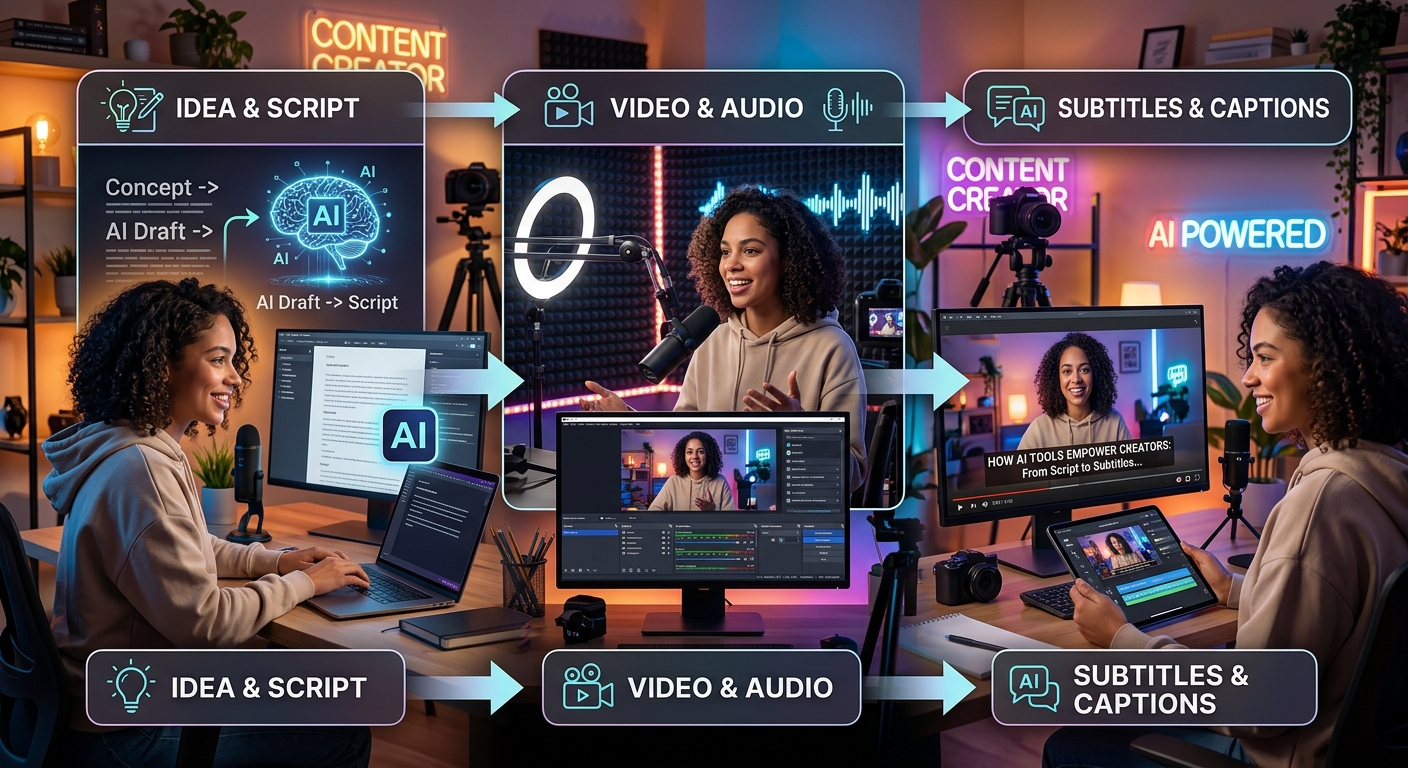
Making a polished video used to cost money at every stage. You paid for scriptwriting software, stock footage, editing tools, and caption services. That picture has changed completely. A full production pipeline now exists using tools that cost nothing, and creators who know this are producing better content faster than those still stuck in the paid-plan mindset. The free-tier stack is not a compromise. It is a serious workflow.
The Free Creator's Workflow at a Glance
This article walks through a complete, stage-by-stage workflow for producing video content at zero cost. Starting with AI chatbots that write and tighten your script, moving through image and video generation tools that handle your visuals, and finishing with captioning to make your content accessible and search-friendly. Every tool in this stack has a functional free tier. You do not need a subscription, a credit card, or a production team.
Where Every Good Video Starts: The Script
The script is the foundation. Get it wrong and no amount of visual polish saves the video. Get it right and even basic footage feels compelling. AI chatbots have become the fastest way to produce a first draft, and the best ones are genuinely free to use without a credit card.
ChatGPT's free tier gives you capable writing that holds up for most video formats. Claude, from Anthropic, runs a free plan with strong reasoning and a natural conversational tone. Google's Gemini is already baked into Google products and requires no extra signup for most users. All three can take a brief topic description and return a full video script with hooks, transitions, and a clear structure. The differences between them are worth testing on your own content, because each model has a distinct voice that may suit your channel better than another.
The key is treating the chatbot as a writing partner rather than a ghostwriter. Give it context. Tell it who the audience is. Mention the video length you're targeting. Ask it to write in a conversational tone rather than formal prose. Then edit what comes back. A chatbot draft is your starting point, not your final copy.
You can also use these tools to tighten a script you've already written. Paste in a rough draft and ask the model to cut filler words, punch up the opening sentence, or rewrite a section that feels flat. This editing loop is where creators who use AI well pull ahead of those who treat a single output as finished work.
For short-form content, the prompt structure matters enormously. Asking for "a 60-second YouTube Short script about home composting, opening with a surprising fact, aimed at beginners" produces far better results than "write me a video script." Specificity is free. Use it generously.
Turning Words Into Visuals With Free AI Image and Video Tools
Once the script is solid, you need visuals. Stock footage is expensive. Original footage takes time and equipment. AI-generated images and video clips bridge the gap, and the free tier options have expanded significantly over the last two years.
For static visuals, Adobe Firefly's free tier, Microsoft Designer (which draws on DALL-E), and multi-model platforms that aggregate several image generators under one roof let you produce custom images from text prompts. These work well for thumbnails, background visuals, and illustrative frames that would otherwise cost money to license. The quality is high enough for professional-looking YouTube thumbnails and explainer-style content without touching a paid plan.
For short video clips, Runway ML runs a free plan with limited credits that suits creators testing the workflow before committing to anything. Pika Labs also operates a free tier with reasonable quality for short generative clips. Neither replaces live footage entirely, but for explainer-style content, product concept videos, or abstract visuals, they produce results that look deliberate and polished rather than budget-constrained.
The workflow at this stage tends to run in cycles: prompt, review, regenerate. You will rarely get the ideal image or clip on the first attempt. Budget a few iterations into your process. Write your prompt, review what comes back, adjust the description, and run it again. Most free tools give you enough daily credits to complete a full project if you work with intention rather than generating randomly.
One practical note worth carrying into every generation session: describe your visual style explicitly in the prompt. Writing "cinematic, warm lighting, shallow depth of field, golden hour" produces very different results from a plain subject description. Think like a director briefing a cinematographer, not a writer describing a scene in a novel.
Why Captions Are the Step Most Creators Skip
Most creators finish their video, export it, and upload it. Captions come later, if at all. That habit costs them reach, and not just with one audience segment.
A significant share of social media video is watched with the sound off. On Instagram, Facebook, and even YouTube, users scroll in public spaces, in offices, or in environments where audio is not practical. A video without captions loses those viewers the moment the footage starts playing silently. A video with captions keeps them reading, which keeps the watch time climbing.
The accessibility angle matters just as much as the engagement data. Standards for accessible audio and video content set by the W3C represent a baseline expectation across the web, not a bonus feature for niche audiences. Deaf and hard-of-hearing viewers are a real, consistent part of most online audiences. Viewers watching in a second language rely on captions to follow along accurately. Skipping captions means choosing a smaller audience every time you publish.
There is also a direct search benefit. Platforms that index captions as text use that content to understand what a video covers. Accurate captions contribute to discoverability in ways that matter, particularly on YouTube, where captions feed into the platform's search and recommendation systems. Every video you publish without captions is a video that's harder to find.
Adding Subtitles to Your Video at Zero Cost
The final stage of the free tool stack is captioning, and this is where many creators either pay a transcription service or accept the notoriously inaccurate auto-captions built into some publishing platforms. Neither option is necessary anymore.
Using an AI subtitle generator handles this stage of the workflow without a subscription or a per-minute charge. You upload your video or audio file, the tool transcribes the speech and produces a timed subtitle file, and you get usable captions in a format you can import directly into your editing software or upload alongside the video on any major platform. The accuracy of AI-based transcription has improved dramatically over the past few years, particularly for clear spoken audio in common languages.
The time saving here is the reason this tool matters. Manually transcribing a 10-minute video is a slow, tedious process. Paying a caption service adds up quickly if you publish regularly. An AI-powered transcription tool removes both obstacles. You get accurate, timed captions in minutes, without cost.
The output is typically a .SRT or .VTT file. These are standard formats that YouTube, TikTok, Vimeo, and most video editors accept directly. If the output needs minor corrections, you can paste the transcript back into the chatbot you used in stage one and ask it to fix any obvious errors or awkward phrasing. The tools in this stack connect naturally to each other, which is part of what makes the whole workflow functional rather than fragmented.
How the Stages Connect Into a Real Production Cycle
When you look at the tools together, the workflow becomes a clear sequence rather than a collection of separate steps. A chatbot generates and refines your script. Image and video generation tools produce your visuals. An AI captioning tool adds the final layer of timed text. Each stage uses a free tool. Each stage feeds directly into the next.
The total time from idea to finished, captioned video is significantly shorter than it was three years ago. A creator working alone can now produce content that previously required a team of at least two or three people. Not because the tools replace creative judgment, but because they handle the time-consuming mechanical parts of production. Drafting, generating, transcribing. You focus on the ideas, the editing decisions, and the quality of the final output.
What's worth noting clearly is that the free tier is not a trial mode designed to push you toward a paid plan. These tools are functional, capable, and used by working creators producing real content that earns real audiences. The limitations mainly affect output volume and access to the most advanced model versions. For most video projects at typical publishing frequencies, the free tier holds up completely.
Creators who build this workflow early gain a compounding advantage. Every video they publish is captioned. Every script is drafted faster. Every visual is produced without licensing costs. That efficiency accumulates over time in ways that matter for maintaining a consistent publishing schedule without burning out or spending heavily.
Your Free Stack Is Already Waiting for You
The gap between professional-looking content and amateur content has narrowed to the point where the main variable is creative skill, not budget or tool access. Free AI tools cover scripting, image and video generation, and captioning with enough capability to produce polished results. The stack is assembled. It works. The only step left is building the habit of using it.
The most practical starting move is to run one complete project from script to subtitle file using only free tools. Pick a topic you already understand well. Use a chatbot to draft the script. Generate your key visuals. Record or compile your footage. Transcribe and caption the finished video. Publish it. That first run through the complete free stack shows you exactly where your workflow needs refinement and what each tool can genuinely do in your specific hands, with your content and your audience in mind.
Content creation has not become easier because the craft got simpler. It has become more accessible because the infrastructure around the craft is no longer locked behind subscription paywalls. The tools are free, the workflow is learnable in a single afternoon, and the output can be genuinely polished. The barrier that used to exist is gone.