






Your Room Photo is Saved
Create a free account to generate your redesign. Free tokens are included - No payment required.
No charge today · cancel anytime
Not Enough Tokens
You've used your free starter tokens. Upgrade to Pro for 25 million tokens per month.
No charge today · cancel anytime
See all plans - from $14.99/monthAI Interior Designer
Upload a photo of any room and get an instant AI-generated redesign. Change the style, furniture, colors and layout - Without touching a wall.
Your Room Photo
Upload a room photo to get started
AI Redesign
Set us as a preferred source and our tools show up more often in your Google results.
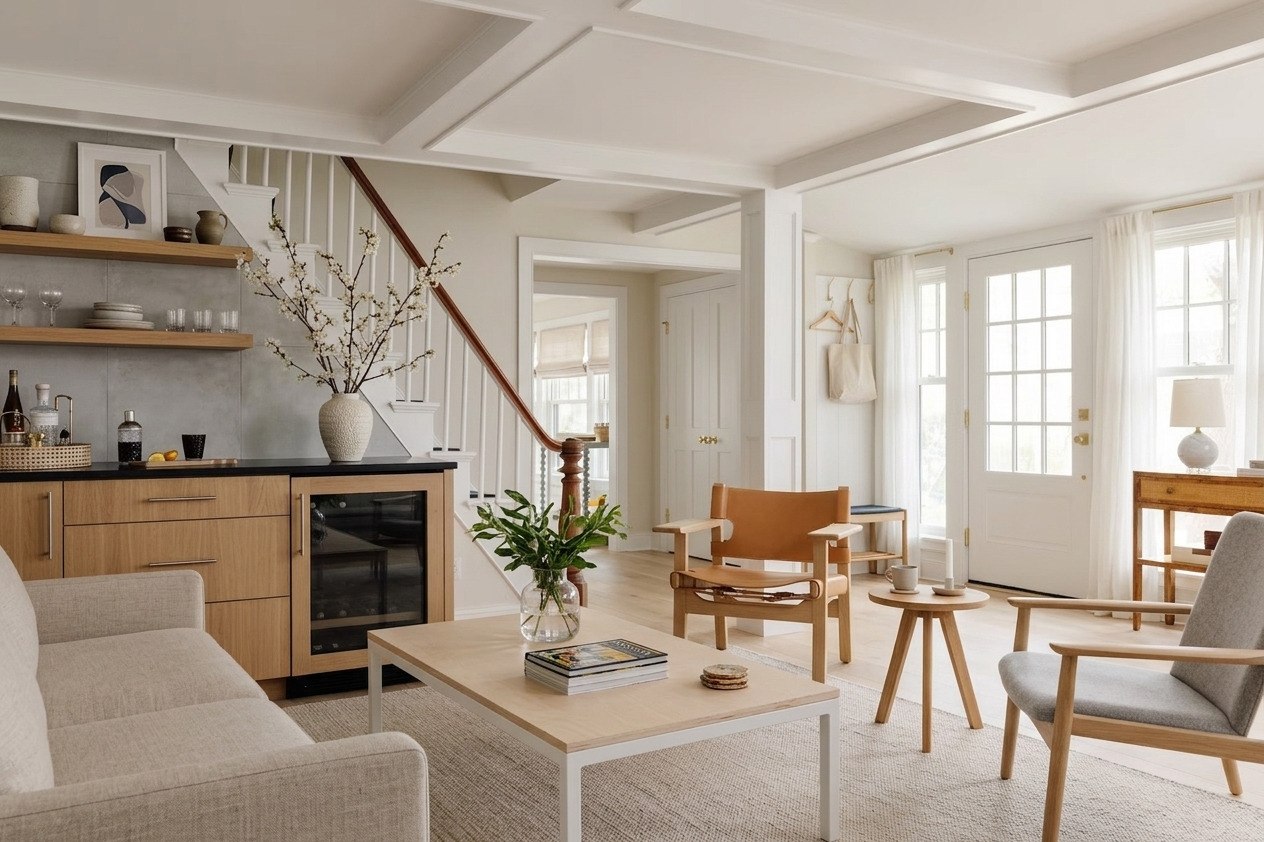
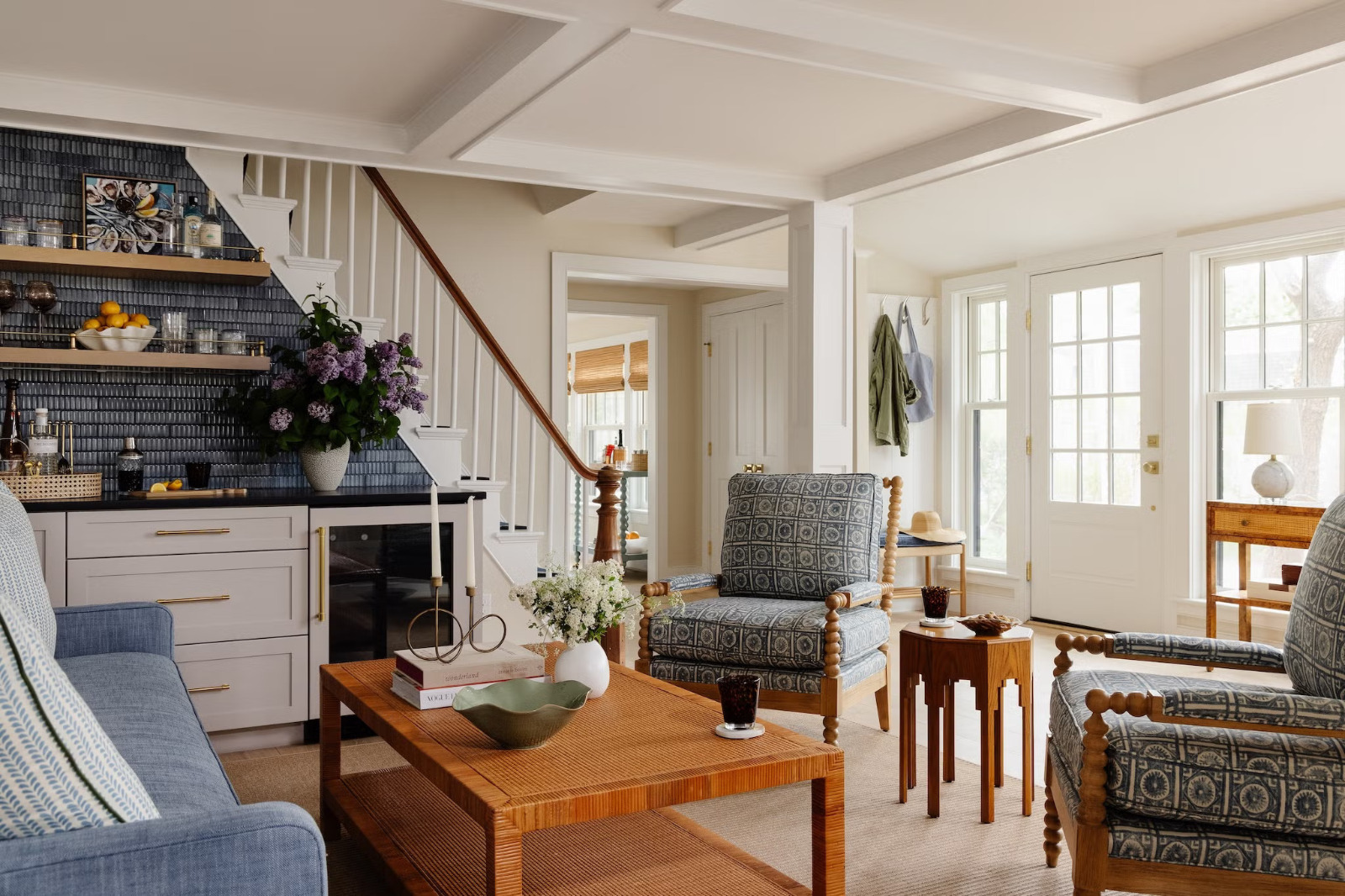
Drag to Preview a Room Redesign
Move the slider to compare the original room direction with a brighter AI-generated concept. This is the kind of visual check that helps you decide on furniture, color palette and layout before buying anything.
Transform Any Room Instantly
Our AI interior designer understands spatial layout, lighting and design principles to produce realistic redesigns from a single photo.
Change Furniture
Swap out sofas, beds, dining sets and storage pieces for ones that match your chosen style.
New Color Schemes
Repaint walls, change flooring and apply new color palettes that complement your style choice.
Redesign the Space
Reimagine the entire room - From a bare or cluttered space to a polished, styled interior.
Add or Remove Decor
Introduce art, rugs, plants and lighting - Or strip a space back to a clean, minimal base.
Style Exploration
Try 9 design styles - Modern, Japandi, bohemian, luxury and more - Before committing to one.
Renovation Planning
Visualize what a renovation will look like before spending a penny on contractors or materials.
Three Steps to a New Room
No design experience needed. Just upload, choose a style and let the AI do the work.
Upload Your Room
Take a photo of any room - Living room, bedroom, kitchen or office - And upload it. Natural lighting and a straight-on angle works best.
Choose a Style
Select from 9 interior design styles and optionally add specific instructions like "add a reading nook" or "use warm earth tones".
Download Your Design
The AI generates a photorealistic redesign in 20-40 seconds. Download the result and regenerate as many times as you like.
Built for Anyone Who Has a Room
You do not need to be an interior designer. You just need a photo and a vision - Even a vague one.
Interior Design Has Always Been Expensive and Slow
A single consultation with a professional interior designer costs $150 to $500 per hour. A full room redesign project runs $2,000 to $12,000 - And that is just the design fee before you spend a cent on furniture.
For most people, that means making expensive renovation decisions based on Pinterest boards, showroom guesswork, and vague hope. Buying a sofa you cannot visualize in your actual room. Painting a wall a color that looked great on the swatch.
This tool closes that gap. Upload your room. Pick a style. See exactly what it could look like - Before spending anything. It is not a replacement for professional design on large projects, but for the millions of everyday decisions it is faster, cheaper and more honest than any alternative.
Tips for Every Room Type
Each room has different constraints. Here is what to keep in mind when photographing and redesigning each space.
Living Room
Shoot from the doorway or a corner to capture the full space. Include the main sofa and TV wall in frame. Modern, Japandi and Luxury styles work especially well here.
Bedroom
Shoot from the foot of the bed facing the headboard wall. Natural morning light produces the best result. Scandinavian and Minimalist styles work beautifully in bedrooms.
Kitchen
Capture the full run of cabinetry and the countertops. The AI replaces cabinet fronts, counters, backsplash and appliances. Industrial and Modern styles are particularly dramatic.
Bathroom
Shoot straight-on from the doorway. Good results come from including the vanity, mirror and at least one wall. Minimalist and Luxury styles transform bathrooms most dramatically.
Home Office
Include the desk, chair and at least one wall in frame. Adding "large bookshelf" or "standing desk" in the custom instructions produces excellent results. Mid-Century and Industrial styles suit offices well.
Dining Room
Shoot from the side to capture both the table and the wall behind. Include the chandelier or pendant light if you have one. Bohemian and Luxury styles work best for dining spaces.
Which Style is Right for You?
Not sure which of the 9 styles to pick? Here is what each one looks like and who it suits.
Clean lines, neutral palette, statement pieces. No clutter. Everything has a purpose. Best for: people who want a polished, grown-up space that photographs well.
Light wood, white walls, cosy textures like wool and linen. Warm and calm. Best for: anyone who wants a space that feels simultaneously airy and inviting.
Exposed brick, dark metal, concrete and leather. Urban and edgy. Best for: loft spaces, open-plan homes, or anyone who wants something bold and unconventional.
Layered textiles, global patterns, plants everywhere, mismatched furniture. Rich and personal. Best for: creatives, renters who want maximum personality with minimal structural changes.
Almost nothing. Negative space, monochrome or near-monochrome, hidden storage. Best for: people who find visual noise stressful and want their home to feel like a retreat.
Tapered legs, warm wood, mustard and teal accents, organic shapes. Retro but timeless. Best for: people who find stark modern interiors too cold but minimalism appealing.
A fusion of Japanese and Scandinavian sensibilities. Natural materials, wabi-sabi imperfection, muted earth tones. Best for: anyone who wants calm, intentional, understated beauty.
Marble, brass, velvet, dramatic lighting, rich jewel tones. Best for: master bedrooms, formal living rooms, or anyone doing a high-end renovation who wants to see the ceiling before committing.
Whites and blues, driftwood textures, linen, rattan and sea-glass accents. Relaxed and sun-bleached. Best for: holiday homes, Airbnb listings, or anyone who wants their home to feel like a permanent vacation.
The Smart Way to Plan a Room Renovation
The most expensive mistake in home renovation is deciding too quickly. Choosing a style, buying a statement sofa, painting the walls - then realizing it does not all fit together the way you imagined.
AI redesign gives you a photorealistic preview before you commit to anything. Use it as a research and alignment tool - not just a pretty picture.
- Generate 3 to 5 style variations of the same room
- Share the results with anyone who has a say (partner, housemates, designer)
- Use the result to shortlist paint colors and furniture shapes before shopping
- Show the image to your contractor so expectations are aligned from day one
- Regenerate after each major purchase to see how the room is evolving
Redesign every room, free for 7 days
Unlimited room redesigns on premium models, plus the full set of AI image and video tools. No charge today, cancel anytime.
- Unlimited use
- Premium models
- No ads
- 7-day free trial
- Cancel anytime
Common Questions
Everything you need to know about the AI Interior Designer.
More AI Tools
Pair the interior designer with our AI Image Tools or the AI Prompt Library for design inspiration.
Connect Room Design With the Image Tool Cluster
Interior design work often needs generated images, edited room photos, upscaled outputs, and brand assets. These pages keep the visual AI workflow connected.
For room redesigns, style changes, layout ideas, color palettes, or renovation concepts, start with AI Image Tools, then use AI Image Generator and AI Image Editor when the topic needs more than one expert angle.