






The Different Types of AI Image Generators and When to Use Each
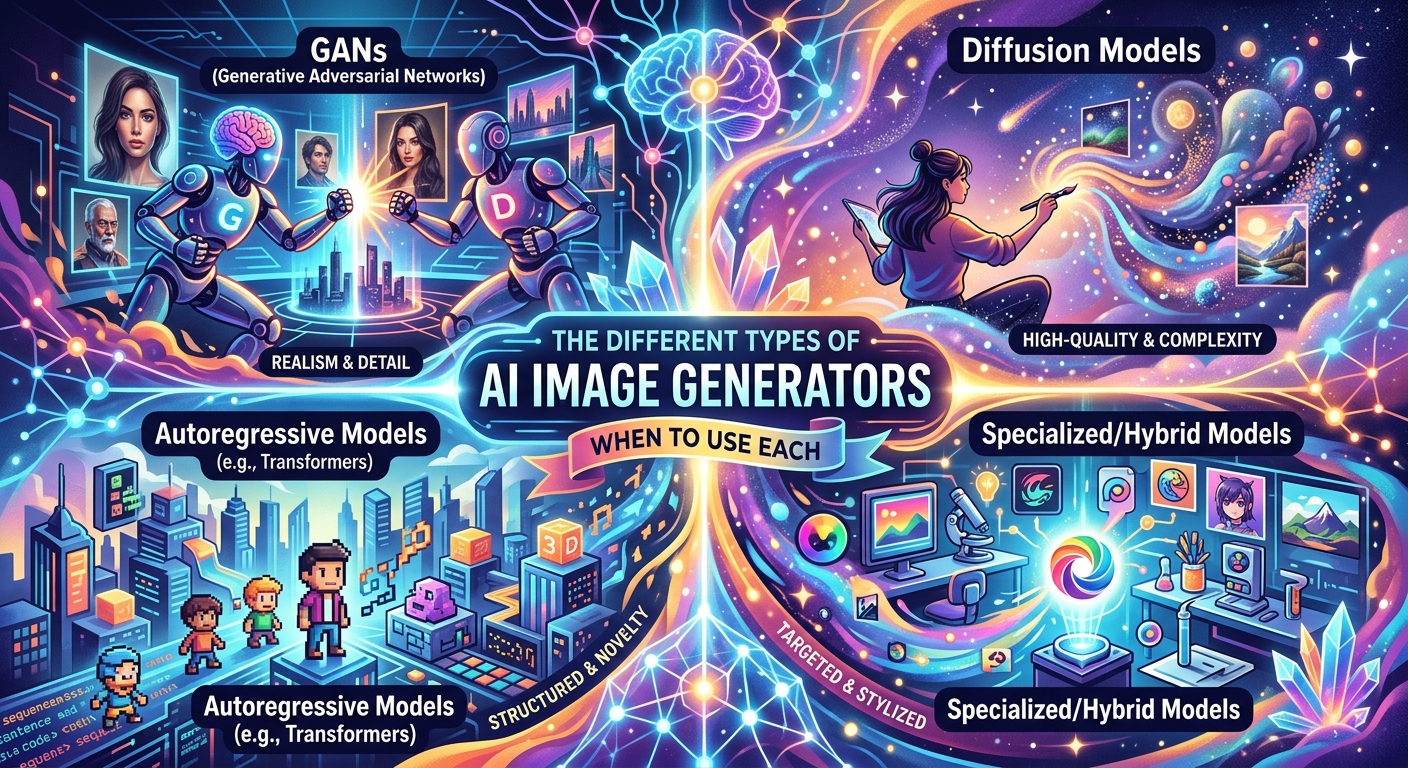
You open a new tab, type a prompt, and seconds later you're staring at an image that didn't exist five minutes ago. That part feels genuinely remarkable. But then comes the real question: did you use the right tool for the job? Not every AI image generator is built for the same purpose. Using a stylized art tool to create a product mockup is like using a paintbrush to hammer a nail. It might technically work, but you'll spend twice the effort cleaning up the result.
The Short Version
AI image generators fall into three broad categories: creative tools built for expressive artwork, photorealistic models that mimic camera-quality output, and stock image models designed for safe, publishable commercial use. Each serves a different workflow. A freelancer building a blog header has different needs than someone licensing imagery for a client pitch. Knowing which category to reach for first saves real time, reduces wasted prompts, and sidesteps both quality and licensing headaches down the road.
Why Not All AI Image Generators Work the Same Way
Most people assume that if one AI image tool works well, any other will do just as fine. That assumption costs time. The differences between categories run deeper than visual style. They touch on training data, output resolution, usage rights, and the kinds of prompts that actually produce usable results.
At a technical level, most modern image generators rely on what researchers call diffusion models, a class of generative AI that gradually refines random noise into coherent images. But how those models are trained and what they are optimized for changes the output dramatically. A model trained on artistic illustrations learns to produce stylized, often impressionistic work. One trained on stock photography tends toward clean, literal compositions. Same underlying architecture. Very different results.
This matters for practical reasons. If you're a student putting together a presentation, a visually interesting illustration probably works fine. If you're a freelancer creating assets for a client's paid campaign, the bar shifts entirely. You need clean output with clear licensing, not the most expressive image you can generate.
Creative and Stylized Generators: Where Imagination Runs the Show
Creative generators are the ones most people picture first. They are built to translate loose, imaginative prompts into visually striking images. You can describe a fox reading a newspaper in a rainy neon alley and get something genuinely compelling in under a minute.
These tools are a natural fit for blog headers, social media posts, digital illustrations, and any context where artistic expression matters more than photographic accuracy. A content creator building a fantasy series brand or a student designing a presentation cover has every reason to rely on this category. The visual output leans expressive, often dramatic, and responds well to mood language. Prompts like "muted Bauhaus geometry" or "warm golden-hour editorial style" tend to land somewhere interesting.
The trade-off is inconsistency. Creative generators can produce wildly different results from nearly identical prompts. Text embedded in images is notoriously unreliable. Hands and fine anatomical details go wrong more often than not. And the visual tone shifts enough from output to output that building a coherent visual identity across many images takes deliberate effort.
For a personal blog, a newsletter header, or a one-off social graphic, this inconsistency barely matters. You generate a few versions and pick your favorite. For repeatable commercial work, it starts to add real friction.
Photorealistic Models: AI That Thinks Like a Photographer
Photorealistic generators sit in a different lane entirely. These are built to produce images that could plausibly pass as photographs. The lighting reads correctly. Textures feel tactile. Shadows fall in ways that suggest a real light source. When they work well, the gap between "AI-generated" and "shot on location" gets genuinely small.
Product mockups, architectural visualization, high-end marketing visuals, and editorial imagery for professional publications are where this category earns its place. If you're producing visuals for a product landing page or building a portfolio piece for a client pitch, photorealistic output is often what closes the gap between amateur and professional results.
The prompting language shifts here too. Photorealistic models respond well to camera and lighting terminology. Phrases like "shot on 35mm film," "f/1.8 aperture," "soft natural backlight," and "shallow depth of field" guide the model toward convincing photographic output. You are essentially directing a virtual shoot without a physical studio.
The limitation is that photorealistic generators can produce unsettling or uncanny results when the subject gets complex. Unusual lighting conditions, dense crowds, or scenes with multiple interacting people tend to reveal the seams. Prompting requires more precision, and low-effort prompts often produce generic, over-polished output that feels more like a placeholder than a considered visual.
Stock Image Models: The Commercial Creator's Most Overlooked Category
Here is the category that does not get nearly enough attention: AI generators built specifically to produce stock imagery. These are not just photorealistic generators rebranded. They are tools tuned to output clean, usable images for professional and commercial contexts, with licensing clarity as a core part of the design.
For a freelancer creating social media graphics for a paying client, or a small business owner building a product catalog, the question of whether an image can actually be published matters enormously. Standard creative generators often produce output with ambiguous usage rights. Many platforms retain the right to use your prompts and outputs for model training. The legal picture is blurry enough that using that output in a paid client campaign feels like a genuine risk.
Stock image models address this directly. They are built from the ground up for content you can put in a presentation, a client deliverable, or a paid ad without second-guessing yourself. If you are scoping out your options in this space, a range of stock image models available today is broader than most creators realize. It is a category worth checking before defaulting to a general-purpose generator for commercial work.
The images these tools produce tend toward the clean and functional rather than the dramatic. That is a feature, not a flaw, for anyone building a professional content workflow. You get output that slots into a designed layout without competing for visual attention.
Choosing the Right Generator Before You Start Prompting
Most creators who work with images regularly end up keeping two or three tools in rotation, reaching for the right one depending on the job at hand. The following sequence helps narrow the choice before spending time generating and discarding:
- Start with the end use. Ask whether the image needs to look artistic, photographic, or commercially neutral. That single question eliminates at least one category immediately.
- Check licensing terms before the first prompt. If the content goes to a paying client or into a brand asset, tools with explicit commercial rights save a serious headache later.
- Match your prompt language to the tool category. Creative generators respond to mood and style descriptors. Photorealistic generators respond to camera and lighting language. Stock tools respond to clean, functional, descriptive prompts.
- Run a few low-stakes test prompts before committing. Before using a tool for an entire campaign, generate five or six test images to confirm the output style actually fits the project.
- Build a small prompt library as you go. Each category has its own vocabulary. Keeping a note of effective prompts within the right category saves significant time on future projects.
How the Three Categories Compare Side by Side
Key Differences Across the Three Generator Types
| Category | Best For | Output Style | Commercial Licensing |
|---|---|---|---|
| Creative / Stylized | Blog headers, social art, personal projects | Expressive, illustrative, varied | Often unclear or platform-restricted |
| Photorealistic | Product mockups, editorial visuals, marketing | Camera-quality, accurate, detailed | Varies by platform; always check terms |
| Stock Image Models | Client work, brand assets, paid campaigns | Clean, functional, commercially neutral | Built for commercial use by design |
Matching the Tool to the Moment
The AI image generation space is expanding fast, and new tools appear constantly. But the three categories described here have stayed stable because they reflect how different people actually use images in their work. Creative output serves expression. Photorealistic output serves accuracy. Stock-oriented output serves commercial reliability.
None of the categories is better than the others in any absolute sense. They are better for specific things. A freelance designer who ignores stock image models for client work is taking an unnecessary risk with licensing. A student reaching for a photorealistic model to produce a fun presentation cover is probably overthinking the tool choice.
The sharpest approach is to treat each category as a different instrument in the same toolkit. Get a feel for which one you reach for naturally, then deliberately try the others on projects where they fit. The differences become obvious once you have run a few hundred prompts across all three categories. After that, the choice usually takes about ten seconds.