






Staying Current on AI Tools Using RSS Feeds, AI Summaries, and PDFs
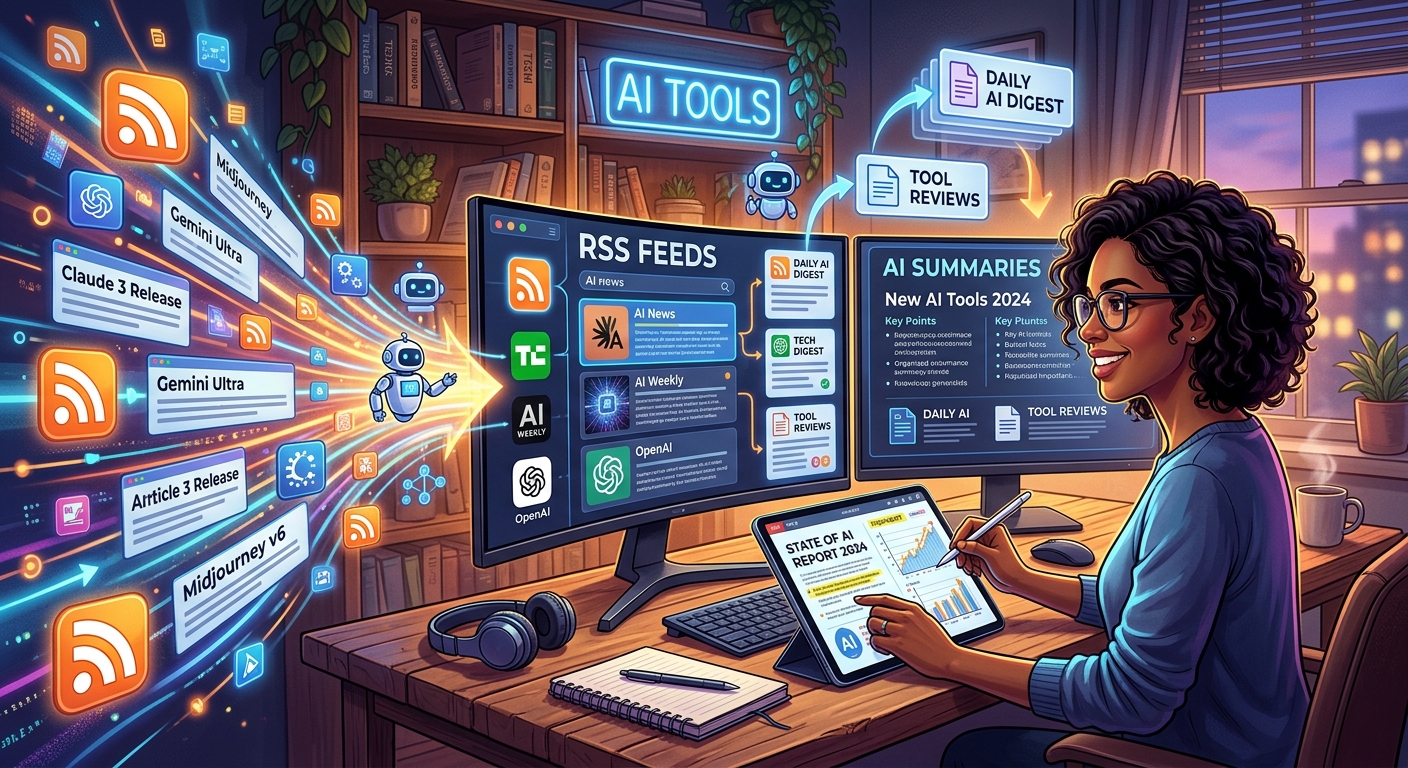
The AI tools space moves at a pace that makes your head spin. A new model drops on a Tuesday. A startup rewrites its free tier on a Thursday. A changelog update changes how a tool you rely on actually works. If you are a freelancer, content creator, or professional trying to keep your edge, you already know how fast information slips past you. The good news is that you do not need to scroll endlessly or pay for a newsletter subscription to stay in the loop. This article walks through a practical three-step system that costs nothing and takes only a few focused minutes each day.
Three tools, one habit: RSS, AI summarization, and PDF export form a lightweight system that keeps you genuinely informed without burning your week.
- RSS feeds pull updates directly from AI sources, cutting out the algorithmic noise that distorts social feeds
- Free AI chatbots condense those updates into a short digest, so you spend time on decisions rather than skimming headlines
- Exporting your curated content to PDF makes it shareable, archivable, and readable anywhere, including offline
Why the AI Landscape Moves Faster Than a Newsletter Can Keep Up
Newsletters go out once a week, at best. By the time a curated digest lands in your inbox, half of what it covers is already old news. Forum threads get buried under newer ones. Social feeds flood you with opinions rather than facts. The people who actually stay current are not reading more. They are reading smarter.
That is where RSS comes in. RSS is not a new technology. It has been around since the late 1990s and it still works beautifully. Instead of you checking each site manually for updates, the site sends updates to you automatically. Think of it like setting up a mailbox and letting publishers drop their latest articles in it, rather than you driving to each office to pick up a copy. Quiet, reliable, and completely in your control.
Step One: Building Your RSS Feed Stack for AI News
The first thing you need is an RSS reader. Free options like Feedly, Inoreader, and NetNewsWire all handle the job. Once you have one set up, you start adding feed URLs from the AI blogs and changelogs you trust most.
Most major AI publishers have an RSS feed, even if they do not advertise it loudly. The format itself follows the RSS format specification, which defines how publishers structure their updates so any reader can pull them in consistently. You do not need to understand the technical side. You just need the feed URL, which usually ends in /feed or /rss and takes about ten seconds to find.
The real strength of RSS is that it is chronological and algorithm-free. You see everything in the order it was published. No engagement-boosting ranking bumps older items you might actually care about. No sponsored posts wedged between real content. Just the actual updates from the sources you chose, delivered directly to you.
The AI Sources Worth Adding to Your Reader
Not every AI blog is worth your time. Some are thoughtful and specific. Others are fluffy recaps that add nothing new. Here are the source types that tend to deliver genuine value for people tracking the AI tools space:
- Official changelogs and release notes from AI platforms, which give you direct, unfiltered product updates without any editorial spin
- Research previews from AI labs like Anthropic, Google DeepMind, and OpenAI, which signal where the technology is heading before the reviews land
- Independent AI tool review blogs that often catch real-world usage problems that official announcements quietly skip over
- AI-focused newsletters that publish an RSS version, giving you the curation of a newsletter without waiting for a send day that may not match your reading schedule
Add five to ten of these to your reader and you will have a steady, manageable stream of updates without the noise. The key word is manageable. More sources is not always better. Tight curation beats a bloated feed every time.
Step Two: Using a Free AI Chatbot to Generate a Daily Digest
Here is where the system gets genuinely time-saving. Once your feed reader collects the week's updates, you do not have to read every article word for word. Copy the headlines and short summaries from your reader into a free AI chatbot and ask it to generate a condensed briefing.
A prompt as simple as "Summarize these updates in five bullet points, highlighting any tools relevant to content creation" gets you a usable briefing in seconds. The AI does the skimming for you. You review the digest and click through on the two or three stories that actually matter for your work.
This is exactly the kind of task where access to multiple AI models pays off. AskAI.free gives you access to more than 30 AI chatbots and assistants under one roof, so you can run your digest through different models if you want a second take. Some models are better at structured summaries. Others are sharper at pulling out business implications or spotting what a product update actually means in practice. Having options means you are not locked into one AI's interpretation of what matters this week.
You do not need to sign up or commit to anything to try this. Paste your feed summaries in, run the prompt, and see which model gives you the most useful output. Over time, you will probably settle on a favorite for this specific task and build a prompt that matches your professional context perfectly.
Step Three: Exporting Your Curated Feed to a Portable PDF
The third step is about making your content durable. A live RSS feed is great for daily reading, but it is not something you can hand to a client, drop into a project folder, or read on a long flight without internet. That is where converting your feed into a document becomes genuinely useful.
The tool that fits cleanly into this part of the workflow is one that handles RSS to PDF conversion directly. You paste in your feed URL, the tool pulls the current content, and you get a formatted, downloadable PDF. It is a clean way to archive an AI tools briefing, prepare a research document for a client, or create a readable version of the week's updates that travels with you. If you are a freelancer who sends monthly AI trend reports to clients, this step alone can save hours of manual formatting and copy-pasting across a month.
PDF is also the format that actually gets read in professional contexts. A link to a live feed gets skimmed or ignored. A PDF attached to an email feels like a deliverable. That difference matters if you are trying to position yourself as someone who tracks the space seriously.
Putting the Three Steps Together as a Weekly Habit
The whole workflow is faster than it sounds on paper. Here is how a typical week might look in practice:
- Monday morning: your RSS reader has collected 20 to 40 new items from AI blogs and changelogs since the previous week
- Copy the headlines and summaries into your preferred AI chatbot and run a digest prompt tailored to your profession or focus area
- Review the chatbot's briefing, which flags the most relevant updates and skips the noise
- Click through to the two or three full articles that genuinely warrant a closer read
- On Friday, export the week's curated feed as a PDF to archive, share with a team, or attach to a client update
That is the full loop. RSS collects. AI condenses. PDF preserves. The whole cycle can run in under thirty minutes a week if your source list is tight and your digest prompt is dialed in.
Why This Beats Social Media Monitoring for Staying Informed
Social media gives you reactions, not facts. By the time a tool announcement is trending on a platform, it has already been filtered through dozens of takes, most of which add noise rather than clarity. The signal-to-noise ratio is genuinely poor for anything requiring accurate, decision-grade information.
RSS cuts directly to the source. You are reading from the actual blog, the actual changelog, the actual product team. There is no algorithm deciding what you should care about. Combined with AI summarization, you get the speed of a skimmer with the accuracy of going straight to the original source.
For professionals who need to stay credible, that accuracy matters a great deal. A lawyer evaluating AI tools needs to know what a product actually does, not what a social thread claims. An accountant exploring AI for bookkeeping needs release notes, not hype. A content creator needs to know which tools just dropped a free tier, not just which ones are generating buzz this week.
Your Reading Habit, Finally Made Repeatable
Staying current on AI tools does not have to be a full-time job. Most people who feel overwhelmed feel that way because they rely on passive, noisy channels designed for engagement, not accuracy. Switching to a source-driven system changes the dynamic completely.
A carefully maintained RSS stack, a free AI chatbot for digesting updates, and a PDF export step for sharing and archiving creates a system that respects your time. It also creates something you can actually point to. You are not just vaguely "keeping up." You have a document. You have a workflow. You have something repeatable and shareable that works the same way every week, regardless of how fast the AI tools space moves.
The landscape will keep moving fast. That is not going to change. But with the right reading system in place, you can move with it rather than scrambling to catch up each time something new drops.